
WordPress插件WhatsApp Chat for WordPress是一款集成WhatsApp在线客服聊天的插件,可让您将WhatsApp聊天功能直接集成到您的网站中。这是与客户建立联系和互动的最佳方法之一,您可以提供直接支持,也可以赢得信任并提高客户忠诚度。该插件为您提供了为WhatsApp框选择颜色以适合您的网站样式和口味的选项。此外,您可以根据每个人的时间空缺为他们自定义每个框,包括照片,姓名标签和职务。在线时,按钮为绿色或您设置的其他颜色,否则为灰色。因此,当您没有快速响应时,客户不会感到被忽略。他们确切地知道您将其设置在第一时间的可用时间。
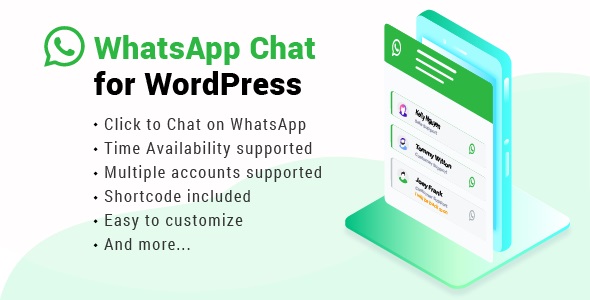
窗口小部件可以显示在所有页面上,也可以仅显示在您设置的所需页面上。此外,您还可以在WooCommerce的“加入购物车”按钮下启用WhatsApp按钮。每个帐户都有自己的简码,您可以在网站上的任何位置复制和粘贴该简码以提供客户支持。
演示地址:https://demo.ninjateam.org/whatsapp-chat-wordpress/
FEATURES
SUPPORT MULTIPLE ACCOUNTS
NinjaTeam WhatsApp Chat plugin allows you to add multiple accounts of your members into a WhatsApp box to display. You customer can choose a supporter they want to chat, they know exactly who they are having a conversation.
EASILY CUSTOMIZE
NinjaTeam WhatsApp Chat plugin provides you options to select colors for the WhatsApp box to fit your website style and taste. Moreover, you can customize each box for each person depending on their time availability with photo, name tag and job title. When you are online, the button is green or other color you set, otherwise, it is grey. Therefore, when you’re not responding quickly, customers don’t feel they are ignored. They know exactly your available time in which you set it at the first place.
SUPPORT WPML
Is you site multi-language? Don’t worry! You can use any WordPress translation plugins like WPML, Polylang to customize any languages on your site easily and quickly.
SHORTCODE INCLUDED
With shortcode from NinjaTeam WhatsApp Chat plugin, you can display the WhatsApp box anywhere on your site. It can be a page, a post, some particular pages, posts or the whole of your website.
NO CODING REQUIRED
We took the hardest part of coding. We spent time on designing and making UI/UX as best as we can. All you need to do is just uploading the plugin into WordPress, activating the plugin, customizing all the available options and Done!
Enjoy conversations with your customers anytime anywhere! It has never been easier, and stop losing your potential leads!
HOW IT WORKS
After installing the plugin, you have all settings in hand to customize a WhatsApp widget or button on your WordPress site by adding member accounts or support agents with phone numbers or group chat links.
The widget can be appeared on all pages or only desired pages you set. Besides, you can also enable WhatsApp button under WooCommerce Add to cart button.
Each account has its own shortcode which you can copy and paste anywhere on your site to offer customer support.
Once a customer clicks on an account he wants to chat, he is then redirected to WhatsApp app if he is on mobile or WhatsApp web if he is on desktop.