
WP Manga Member Upload PRO是Madara主题配套的插件,允许会员提交自己的漫画。当您拥有不同的翻译团队或独立艺术家,可以从前端上传作品时,此功能非常适用。与其他会员插件结合使用时,您可以轻松限制上传权限。
主要功能
- 前端漫画上传 ——会员可以直接从前端上传新漫画,使协作更加容易。
- 章节管理 ——漫画所有者可以轻松编辑漫画、添加章节和管理其提交的作品。
- 灵活的内容审核 ——将上传的漫画的默认状态设置为待定或已发布 ,以供管理员审核。
- 基于用户角色的权限 – 根据用户角色限制漫画上传(与其他会员插件兼容)。
- 管理员审核系统 ——在漫画发布到您的网站之前对其进行审核和批准。
- 可从前端编辑漫画 – 无需访问管理仪表板 – 用户可以直接从前端编辑漫画并上传新章节 。
- 用户排除 ——将受信任的用户或团队排除在审核流程之外,以简化提交流程。
- 短代码支持 ——使用短代码轻松将上传表单放置在您网站的任何位置。
一般用法
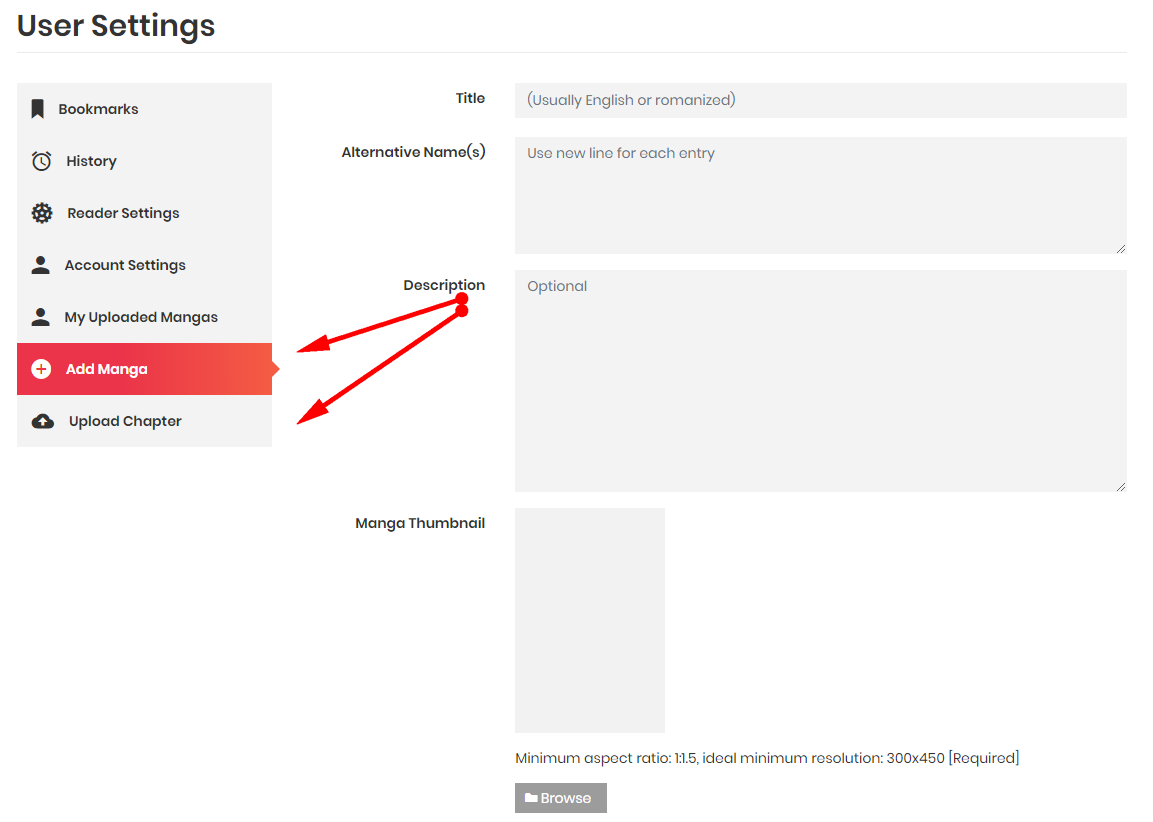
- 安装完成后,进入“用户设置”,出现“添加漫画”和“上传章节”页面
- 要进行配置,请转到 Manga > WP Manga 设置
- 如果您想自定义“添加漫画”和“上传章节”页面,请禁用“在‘用户设置’页面中启用上传表单”框,然后使用短代码将表单插入您的自定义页面(请参阅“使用短代码”)
- 设置“默认漫画发布状态”。如果设置为“已发布”,提交的漫画和章节不会被审核或立即发布。如果设置为“待处理”,则在发布前处于审核状态。
- 检查哪些用户角色有权提交漫画和上传章节。您可以安装自定义用户角色插件来扩展这些角色。
- 在前端启用“编辑漫画”页面→漫画页面中将出现一个编辑按钮,允许漫画所有者或编辑者和管理员进行编辑。
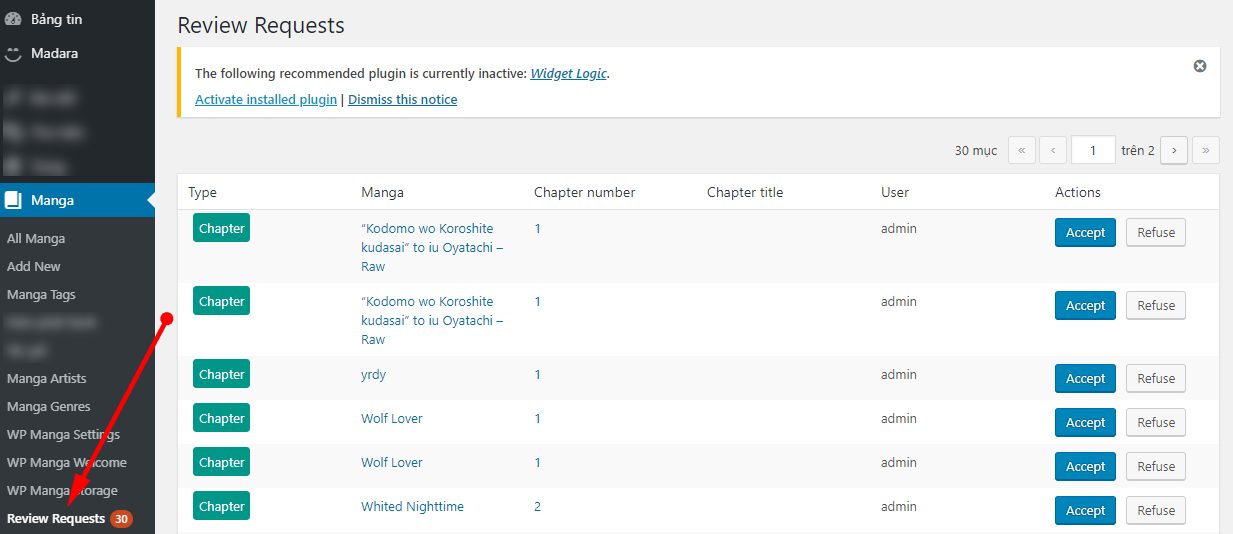
- 审阅已提交的漫画和漫画章节 > 审阅请求
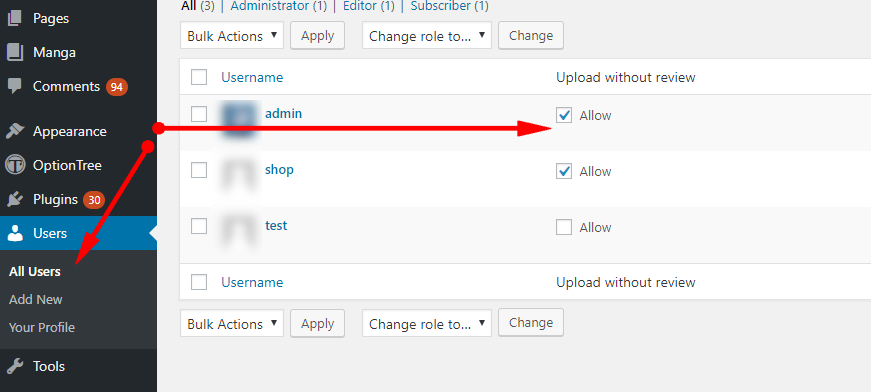
- 您可以排除部分用户,使其免于等待审核。这些用户提交的漫画和章节不会出现在审核请求中,而是会立即发布。
从前端编辑
您可以启用“前端编辑”功能,以便管理员、编辑或系列作者可以直接在前端进行更改。他们可以编辑所有漫画信息、替换缩略图、添加/编辑/删除章节。
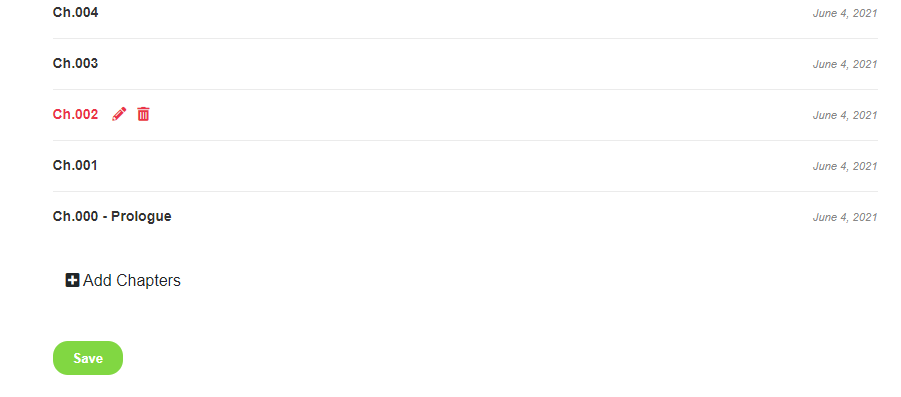
目前您只能选择一种类型的内容从前端上传(文本/视频或漫画)。
简码
(1)简码 [muupro_upload_manga] 显示提交漫画表单
参数列表:
- redirect – string – URL to redirect after submit manga. Default no redirect
- other_name – 1/0 – show input field for Alternative Name. Default 0
- horizontalthumb – 1/0 – show file upload for Horizontal Image Thumb. Default 0
- author – 1/0 – show input field for Manga Authors
- author_required – 1/0 – make Manga Authors required or not. Default 0
- artist – 1/0 – show input field for Manga Artists. Default 0
- type – 1/0 – show input field for Manga Type. Default 0
- types – string – list of predefined Manga Types to select from. When “types” is empty, an input box for Manga Type is used, otherwise, a Select Box is used.
- type_required – 1/0 – make Manga Type required or not. Default 0
- status – 1/0 – show select box for Manga Status. Default 0
- adult – 1/0 – show select box for Manga Adult Content. Default 0
- badge – 1/0 – show select box for Manga Badge. Default 0
- tags – 1/0 – show input field for Manga Tags. Default 0
- genres – 1/0 – show list of checkboxes for Manga Genres. Default 0
- release – 1/0 – show input field for Manga Release Year. Default 0
例如
[muupro_upload manga redirect=”https://yoursite.com/add-chapters” horizontalthumb=”1″ author=”1″ author_required=”1″ artist=”1″ description=”1″ other_name=”1″ type= “1” type_required=”0″ status=”1″ genres=”1″ adult=”1″ tags=”1″ badge=”1″]
(2)短代码 [muupro_upload_chapters] (用于漫画章节)和 [muupro_upload_novel_chapter] (用于小说章节)显示添加章节表单
参数列表
owner – 1/0 – Require users to be Manga Owner to add chapters to a manga. When “owner” is 0, users can only add chapters to a published manga. They cannot see pending (in review) manga.
seo – 1/0 – show Chapter SEO field. Default 0
warning – 1/0 – show Chapter Warning Text field. Default 0
title – 1/0 – show Chapter Title field. Default 1. If title is not required, Chapter Number is used as title
extendname – 1/0 – show Chapter Extend Name field. Default 0.
volume – 1/0 – enable Volume select when uploading
例如:[muupro_upload_chapter owner=”1″]
如何使用短代码
- 创建一个漫画上传表单页面。在页面内容中添加短代码 [muupro_upload_manga]。
将其命名为“Submit Manga”,因此 URL 应该是“ https://yoursite.com/submit-manga ” - 为章节上传表单创建另一个页面。在页面内容中添加短代码 [muupro_upload_chapters]
将其命名为“提交章节”,因此 URL 应该是“ https://yoursite.com/submit-chapters ” - 使用短代码参数配置表单。
- 将这些页面的链接放在用户可以访问的地方,例如主导航上
评论0