
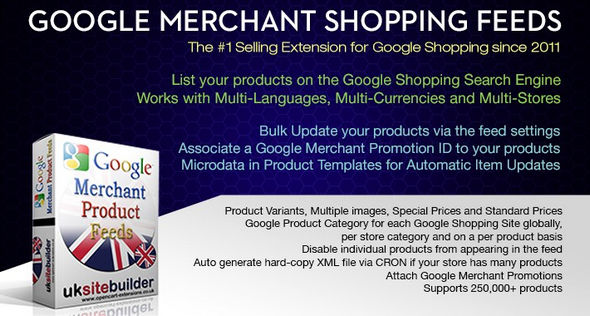
插件功能:
- 为 Google Merchant(Google 购物)生成 Google XML Feed
- 提交到所有 Google 购物网站
- 通过 Feed 设置批量更新您的产品
- 将 Google 商家促销 ID 与您的产品相关联
Features:
- Generate Google XML Feeds for Google Merchant (Google Shopping)
- Submit to ALL Google Shopping sites
- Bulk Update your products via the feed settings
- Associate a Google Merchant Promotion ID to your products
完全支持:
- 产品变体
- 每个产品多张图片
- 特价和标准价格
- 全球每个 Google 购物网站的 Google 产品类别,以商店类别和每个产品为基础
- 禁止单个产品出现在 Feed 中
- 如果您的商店有很多产品,通过 CRON 自动生成硬拷贝 XML 文件
- 附加 Google 商家促销信息
Fully Supports:
- Product Variants
- Multiple images per product
- Special Prices and Standard Prices
- Google Product Category for each Google Shopping Site globally, on a store category and on a per product basis
- Disable individual products from appearing in the feed
- Auto generate hard-copy XML file via CRON if your store has a lot of products
- Attach Google Merchant Promotions
先决条件
- 您将需要一个添加了 Google Merchant 的 Google 帐户设置
- 您应该通过您的 Google Merchant 帐户输入您的送货信息
- 美国、加拿大和印度)您应该通过您的 Google Merchant 帐户输入您的税务信息
- 安装和设置扩展程序后,您应该设置 Google Merchant Feed Schedule 以每天获取您的 Feed
- 您将需要一个 Google Adwords 帐户,并且需要在 Google Adwords 中设置购物广告,链接到您的 Google Merchant 帐户
Prerequisites
- You will need a Google account set-up with Google Merchant added to it
- You should enter your Shipping info via your Google Merchant account
- US, Canada and India) You should enter your Tax info via your Google Merchant account
- After installation and Set-up of the extension, you should set your Google Merchant Feed Schedule to fetch your feed Daily
- You will need a Google Adwords account and are required to set-up Shopping Ads within Google Adwords, Linked to your Google Merchant account
演示站点
https://demo.opencarthost.co.uk/
阅读全文
常见问题
下载地址失效了怎么版?
客服会第一时间检查下载地址,并发送到您的注册邮箱。如未及时处理可联系客服QQ或邮箱。
导入演示被中断了想重新导入怎么办?
https://themege.net/23822.html
不懂导入演示数据?无法一键导入演示数据?
https://themege.net/16186.html
原文链接:https://themege.net/33354.html,转载请注明出处。
评论0