
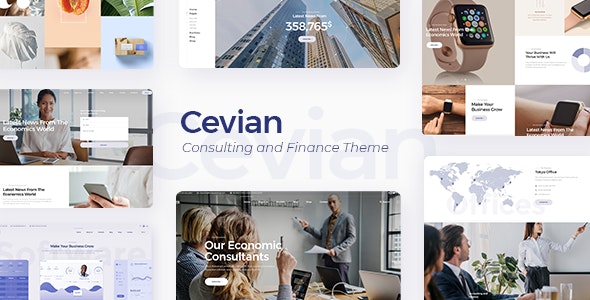
WordPress主题Cevian是一款响应式多用途金融咨询商务网站WP主题,带XML导入数据,能帮助您的创意机构或任何初创企业走上成功之路,Cevian 是一种精致的多用途商业主题,非常适合您的新公司网站。Cevian 拥有创意机构、咨询机构、创意或科技初创企业可能需要的一切,一定会为您提供企业网站永远需要的一切。立即提升您的业务!
如果您想查看Cevian 文档,请点击此处的链接。
演示地址:https://cevian.qodeinteractive.com/landing
Theme Features
- Powerful Admin Interface
- Highly Customizable
- No coding knowledge required
- One-Click Demo Content Import
- Retina Ready
- Fully Responsive
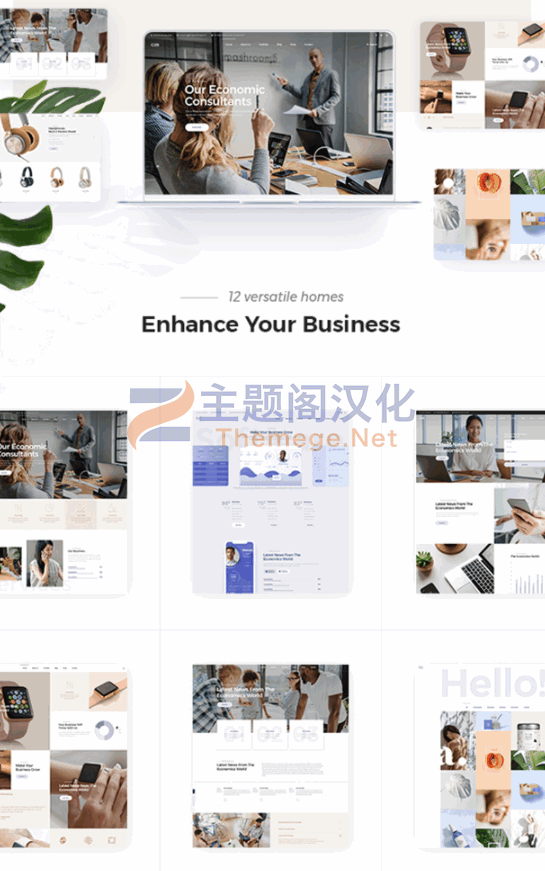
- Large collection of predesigned home and inner pages
- WPBakery Page Builder for WordPress plugin included ($64 value)
- Slider Revolution Responsive WordPress Slider Plugin included ($26 value)
- Multiple Portfolio List layouts
- Portfolio List Masonry layout
- Portfolio List Gallery layout
- Multiple portfolio list hover types
- 3 Portfolio List pagination types
- Standard pagination on Portfolio Lists
- Load More pagination on Portfolio Lists
- Infinite Scroll pagination on Portfolio Lists
- Category Filter on Portfolio Lists
- Multiple Portfolio Single Project layouts
- Portfolio Single Small Images layout
- Portfolio Single Small Slider layout
- Portfolio Single Masonry layout
- Portfolio Single Small Masonry layout
- Portfolio Single Gallery layout
- Portfolio List shortcode
- Portfolio Category List shortcode
- Portfolio Project Info shortcode
- Portfolio Vertical Loop shortcode
- Frame Video shortcode
- Horizontal Timeline shortcode
- Interactive Link Showcase shortcode
- Roadmap shortcode
- Full Screen Image Slider shortcode
- Multiple Customizable Header Types
- Customization options for each header type
- Standard Header
- Vertical Header
- Minimal Header
- Three Header Behavior Types
- Customizable Title Area
- Customizable Mega Menu
- Side Menu Area
- Anchor functionality in menu – easily navigate to any section on the same or different page
- Rounded Banner shortcode
- Video Button shortcode
- Custom Font shortcode
- Animation Holder shortcode
- Elements Holder shortcode
- Customizable Google Map shortcode
- Counter shortcode
- Countdown shortcode
- Social Share shortcode
- Instagram List shortcode
- Twitter List shortcode
- Call to Action shortcode
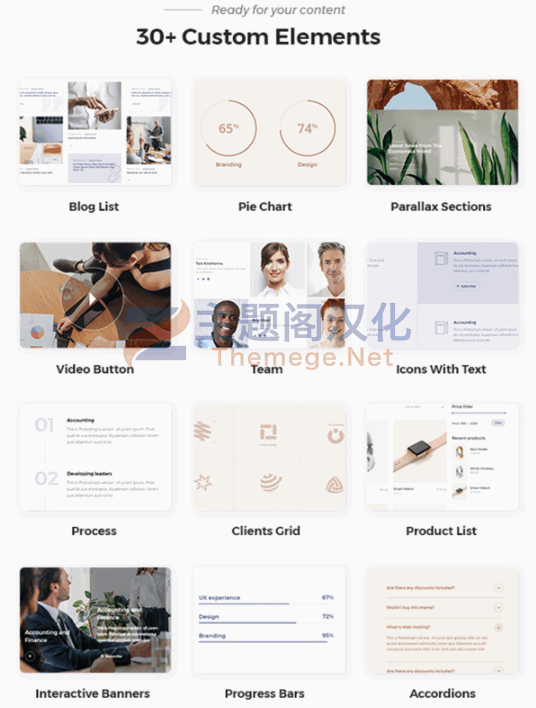
- Team shortcode
- Team Carousel shortcode
- Interactive Banners shortcode
- Pie Chart shortcode
- Image Marquee shortcode
- Clients Grid shortcode
- Clients Carousel shortcode
- Image With Text shortcode
- Icon List Item shorcode
- Icon With Text shorcode
- Blog Standard Layout
- Blog Masonry Layout
- Custom Post Formats: Standard, Gallery, Link, Quote, Video, Audio
- Blog List shortcode
- Blog Slider shortcode
- Video Background Sections
- Parallax Sections
- Separate Normal, Sticky, and Mobile Header logo versions
- Separate logo versions for Dark and Light Header skins
- Optional separate logo for Sticky header type
- Integrated search functionality
- Side Area
- Choose icon pack for search icon
- Font Awesome, Font Elegant, Ion Icons, Linea Icons, Linear Icons, Simple Line Icons, and Dripicons Icon Packs
- Customizable Footer
- Footer Top and Footer Bottom areas
- Choose from 1 to 4 column layout for Footer Top
- Choose from 1-3 column layout for Footer Bottom
- Instagram feed widget
- Twitter feed widget
- Social Icon widget
- Social Icons Group widget
- Image Gallery widget
- Custom Font widget
- Blog List widget
- Button widget
- WooCommerce Dropdown Cart widget
- Customizable Shop pages
- Variable grid size
- Smooth Page transitions
- Smooth Scroll
- Child Theme included
- Translation Ready
- WPML compatible
- Contact Form 7 compatible
- WooCommerce compatible
- Highly customizable typography settings
- Separate typography settings for responsive
- 800+ Google Fonts
阅读全文
常见问题
下载地址失效了怎么版?
客服会第一时间检查下载地址,并发送到您的注册邮箱。如未及时处理可联系客服QQ或邮箱。
导入演示被中断了想重新导入怎么办?
https://themege.net/23822.html
不懂导入演示数据?无法一键导入演示数据?
https://themege.net/16186.html
原文链接:https://themege.net/19193.html,转载请注明出处。
评论0