
Elementor插件Reviewer是一款评价推荐感言幻灯片滑块插件,使用 Reviewer WordPress 插件快速轻松地获取推荐滑块。该插件的主要目的是为您的产品或服务创建一个包含客户评论的块。同时,灵活的插件设置允许将滑块用于不同的目的。您可以自由地使用 TinyMCE 编辑器为每张幻灯片添加任何内容,并从媒体库上传图像。Reviewer 是显示评级评论、团队成员、特定产品、图像、服务、优惠等的完美解决方案。
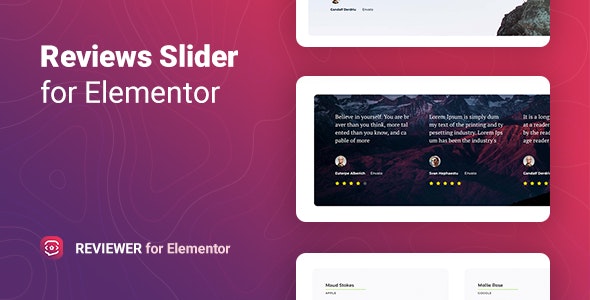
Elementor 小部件允许您通过可自定义的幻灯片布局和灵活的设置为各种目的添加无限的滑块/轮播。选择五种可用的幻灯片切换模式之一,输入不同设备在每个屏幕上显示的幻灯片数量,指定自动播放速度,并管理许多其他选项。评级图标可以从图标库中选择或以 SVG 格式上传。此外,滑块提供了多种类型的导航,能够根据您的需要对其进行样式化。
我们确保您可以轻松开始使用 Reviewer。使用该插件,您可以获得 5 个独特的风格化和实用模板。这些只是一些可以激发您创建风格的示例。只需单击几下即可快速启动。
Reviewer 具有非常灵活的样式设置。您可以更改文本的颜色、字体、背景、边框、内边距/边距以及不同元素的其他内容。所有这些都可以直接从 Elementor 的界面进行配置,不需要额外的代码知识。
Reviewer for Elementor 与所有现代浏览器都非常兼容。用户使用哪种浏览器查看您的网站并不重要:Chrome、Firefox、Opera、Safari 或 Edge。在所有设备和所有浏览器中,一切都会看起来很棒。
Get a testimonials slider with the Reviewer WordPress plugin quickly and easily. The main purpose of the plugin is to create a block with customer reviews for your products or services. At the same time, flexible plugin settings allow using the slider for different purposes. You are free to add any content for each slide using TinyMCE editor and upload an image from the media library. The Reviewer is the perfect solution for displaying rated reviews, team members, specific products, images, services, offers, and so on.
Features of the Reviewer plugin for Elementor
- Custom rating icons
- Customizable slide layout
- Perfect for “fake reviews” and ratings
- Provide links for Author and Company
- Supports custom content in slides
- Various slides switching modes
- Arrows and dots navigation
- Flexible сarousel settings
- Color settings for normal and active rating
- Ready for using shortcodes as testimonial text
- Includes 5 Reviewer Templates
- Customizable separator
- Unlimited testimonials on one page
- Responsiveness display settings
- Works well with all WordPress themes built on Elementor
- Totally Seo Friendly
- Included pot file for quick translation on any language
- Perfect for RTL direction
- Fast and smooth installing
- Tested and compatible up to WordPress 5+
- Lightweight and Fast
- All major browsers supported Chrome, Firefox, Safari, Opera, and Edge
- Easy to use and customize with modern User Interface
- Installation Guide and detailed Users Manual
评论0