
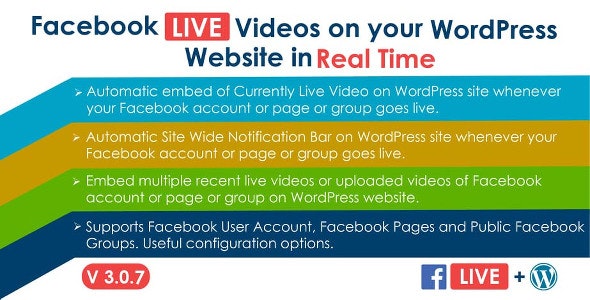
WordPress插件Facebook Live Video Auto Embed是一款在网站自动内嵌Facebook视频的插件,每当您的Facebook帐户/页面/组在Facebook上启用时,自动在您的wordpress网站上嵌入您的Facebook帐户/页面/组的实时视频。该插件会检测您的Facebook帐户/页面/组当前是否处于实时状态,并自动嵌入实时视频。还可以嵌入以前录制的实时视频和上传的视频。还具有配置站点范围顶部通知栏的功能,以便在您的Facebook帐户/页面/组上线时显示。该插件可用于您的Facebook用户帐户或您拥有的Facebook页面或您作为管理员的公共Facebook组。
演示地址:https://www.sleekalgo.com/facebook-live-video-auto-embed-live-preview-demo/

插件特征:
- 能够为您的Facebook帐户/页面/组创建嵌入代码(WordPress短代码调用)。在网站内容中的任何地方(帖子,页面等)使用嵌入代码。每当您在帐户/页面/组上进行实时直播时,实时视频都会自动嵌入到放置代码的内容中。
- 能够为您的Facebook帐户/页面/群组的先前录制的实时视频创建嵌入代码。在网站内容中的任何地方(帖子,页面等)使用嵌入代码。您的Facebook帐户/页面/组的最新实时视频将嵌入到放置代码的内容中。
- 能够为您的Facebook帐户/页面/群组的上传视频创建嵌入代码。在网站内容中的任何地方(帖子,页面等)使用嵌入代码。您的Facebook帐户/页面/组的已上传视频将嵌入到放置代码的内容中。
- 能够输入要嵌入的最大视频数。没有限制。
- 能够为访客输入自定义消息,以便在视频播放器上方显示。
- 当您的Facebook帐户/页面/群组不活跃时,可以输入自定义替代消息与访问者进行交流。
- 当没有可用的实时视频时,可以输入自定义替代消息与访问者进行交流。
- 能够在备用消息和热门消息中使用WordPress短代码。
- 能够输入视频播放器的自定义宽度。
- 开箱即用的响应。
- 能够显示附加在视频播放器上的完整Facebook帖子(视频描述和喜欢/评论/分享按钮)。此功能仅适用于桌面,Facebook已将其禁用于移动设备。
- 允许/禁止全屏模式的能力(仅适用于录制的视频和上传的视频)。
- 能够缓存录制的视频和上传的视频,以及设置缓存刷新时间。这对于减少服务器负载和API请求数量很有用。
- 能够在您网站的多个位置使用相同的嵌入代码。
- 能够在WordPress的单个帖子/页面中使用多个嵌入代码
- 能够配置“站点范围顶部的通知栏”,以在您的Facebook帐户/页面/组上线时显示。
- 通知栏基于AJAX。因此,它会自动显示在网站的打开页面上,而无需刷新它。
- 能够自定义通知栏的外观。
- 使通知栏具有粘性的能力。
- 能够向通知栏添加闪烁效果。
Automatically embed live videos of your Facebook Account/Page/Group on your wordpress site whenever your Facebook Account/Page/Group goes live on Facebook. The plugin detects if your Facebook Account/Page/Group is currently live and embeds the live video automatically. Also has the ability to embed previously recorded live videos and uploaded videos. Also has ability to configure a Site Wide Top Notification Bar to be displayed whenever your Facebook Account/Page/Group goes live. This plugin can be used for your Facebook User account or Facebook Pages you own or public Facebook Groups you are an admin of.
Features:
- Ability to create Embed codes (WordPress shortcode call) for your Facebook Account/Page/Group. Use the embed code anywhere in content of your website (posts, pages etc). Whenever you go live on your account/page/group, the live video will automatically get embedded in the content where the code is placed.
- Ability to create Embed codes for previously recorded live videos of your Facebook Account/Page/Group. Use the embed code anywhere in content of your website (posts, pages etc). Recent live videos of your Facebook Account/Page/Group will be embedded in the content where the code is placed.
- Ability to create Embed code for uploaded videos of your Facebook Account/Page/Group. Use the embed code anywhere in content of your website (posts, pages etc). Uploaded videos of your Facebook Account/Page/Group will be embedded in the content where the code is placed.
- Ability to enter Max Number of Videos to be embedded. There is no limit.
- Ability to enter custom message for visitors to be displayed above the video player.
- Ability to enter custom alternate message to communicate with visitors when your Facebook Account/Page/Group is not live.
- Ability to enter custom alternate message to communicate with visitors when no recent live video is available.
- Ability to use WordPress Shortcodes in Alternate Message and Top Message.
- Ability to enter custom width of the video player.
- Responsive out of the box.
- Ability to show full Facebook post (video description and buttons for like/comment/share) attached to the video player. This feature is Desktop Only, Facebook has disabled it for mobile devices.
- Ability to allow/ disallow Fullscreen mode (for recorded videos and uploaded videos only).
- Ability to cache the recorded videos and uploaded videos, and set cache refresh time. This is useful for reducing server load and number of API requests.
- Ability to use same embed code at multiple places on your website.
- Ability to use multiple embed codes within single post/page of WordPress
- Ability to configure a Site Wide Top Notification Bar to be displayed when your Facebook Account/Page/Group goes live.
- Notification bar is AJAX based. So it appears automatically on an opened page of the website without the need of refreshing it.
- Ability to customize the look of Notification Bar.
- Ability to make the Notification Bar sticky.
- Ability to add blinking effect to Notification bar.
Documentation
Hosting Requirements
PHP Version
– Facebook API requires PHP version 5.4 or later.
SSL (HTTPS)
– New Facebook apps REQUIRE SSL for Facebook Login to work. So your website must be on HTTPS.
评论0