
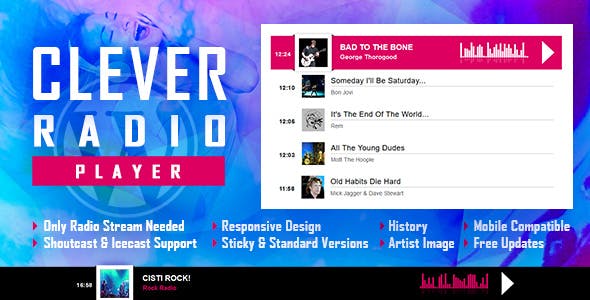
WordPress插件CLEVER 是一款带播放记录的Shoutcast和Icecast广播HTML5播放器,将播放ShoutCast和IceCast流。它可用作固定宽度和居中播放器,全角播放器或页脚和粘性播放器。
主要特点
Shoutcast和Icecast支持
它支持Shoutcast和Icecast广播流。广播流应为MP3类型。它还将播放AAC流,但仅在支持AAC的浏览器上播放
只需要广播流
只需添加广播流,播放器将获得当前正在播放的歌曲和歌手照片。
响应式设计
广播播放器可用于响应迅速的网站。
全宽选项
广播播放器的宽度可以覆盖父div的整个宽度。
兼容手机
它与IOS和Android操作系统兼容。
艺术家形象
如果数据库中存在,播放器将显示当前正在播放的歌手的照片。
高度可定制
您可以在其中自定义播放器的超过35个参数,可以将其集成到任何设计中。
即时贴
将广播播放器设置为即时贴的参数。
历史
它将自动获取ShoutCast流的历史记录。对于IceCast流,它将在广播播放时生成历史记录。
显示/隐藏历史
用于加载具有历史记录或没有历史记录的播放器的参数。
多个实例
您可以在网站或同一页面上插入多个广播播放器(同一页面上最多可以插入2个)。只能将一个设置为“粘性”。
IOS / Android的注意事项(Apple / Google施加的限制):
1. 自动播放将不起作用,因为IOS / Android禁用了自动播放功能,并且无法通过JS对其进行控制。The autoplay will not work because IOS/Android disables autoplay feature and it can’t be controlled from JS
2. 音量控制器在IOS / Android上将无法使用。您必须使用移动设备的物理按钮调整音量。Volume controllers will not work on IOS/Android. You’ll have to adjust the volume with physical buttons of the mobile device.
3. 2.0版以下的ShoutCast版本在iOS 11上不起作用。请将ShoutCast服务器更新到至少v2.0。ShoutCast version below 2.0 doesn’t function on iOS 11. Please update ShoutCast server to at least v2.0
4. Icecast 2.4 kh4 / kh5在iOS 11上不起作用。旧版本(2.3.3 KH11)和标准Icecast 2.4 .1正常运行。请更新IceCast服务器到最新版本。Icecast 2.4 kh4/kh5 do not function on iOS 11. Older versions (2.3.3 KH11) and standard Icecast 2.4.1 do function correctly. Please update IceCast server to latest version.
Note for Safari, Chrome & Firefox (restrictions imposed by Apple & Google):
1. Starting with Safari 11, Chrome 66 and Firefox 66 the autoplay will not work because Apple & Google disabled autoplay feature and it can’t be controlled from JS.
2. Chrome no longer accepts mixed requests. Please check this link: https://blog.chromium.org/2019/10/no-more-mixed-messages-about-https.html. In case you have a HTTPS website you’ll need to use a HTTPS radio link.
评论0